


AI智能摘要
此内容由AI根据文章内容自动生成
CherryTree是一款支持无限层级分类的富文本笔记软件,使用Python编写,适用于Mac、Linux和Windows平台。它不仅具备强大的富文本编辑功能,还支持代码高亮显示,极大提升了编程笔记的可读性。此外,CherryTree能够从NoteCase、KeepNote等多款笔记软件中导入数据,方便用户迁移旧笔记。无论是日常记录还是专业文档整理,CherryTree都是一个高效且便捷的选择。
介绍
CherryTree是一个支持无限层级分类的笔记软件,Python编写,支持富文本编辑和代码高亮,支持Mac、Linux、Windows平台。
支持从NoteCase、KeepNote、Knowit、Tomboy、TuxCards、Treepad、Leo等笔记软件导入数据。
软件截图
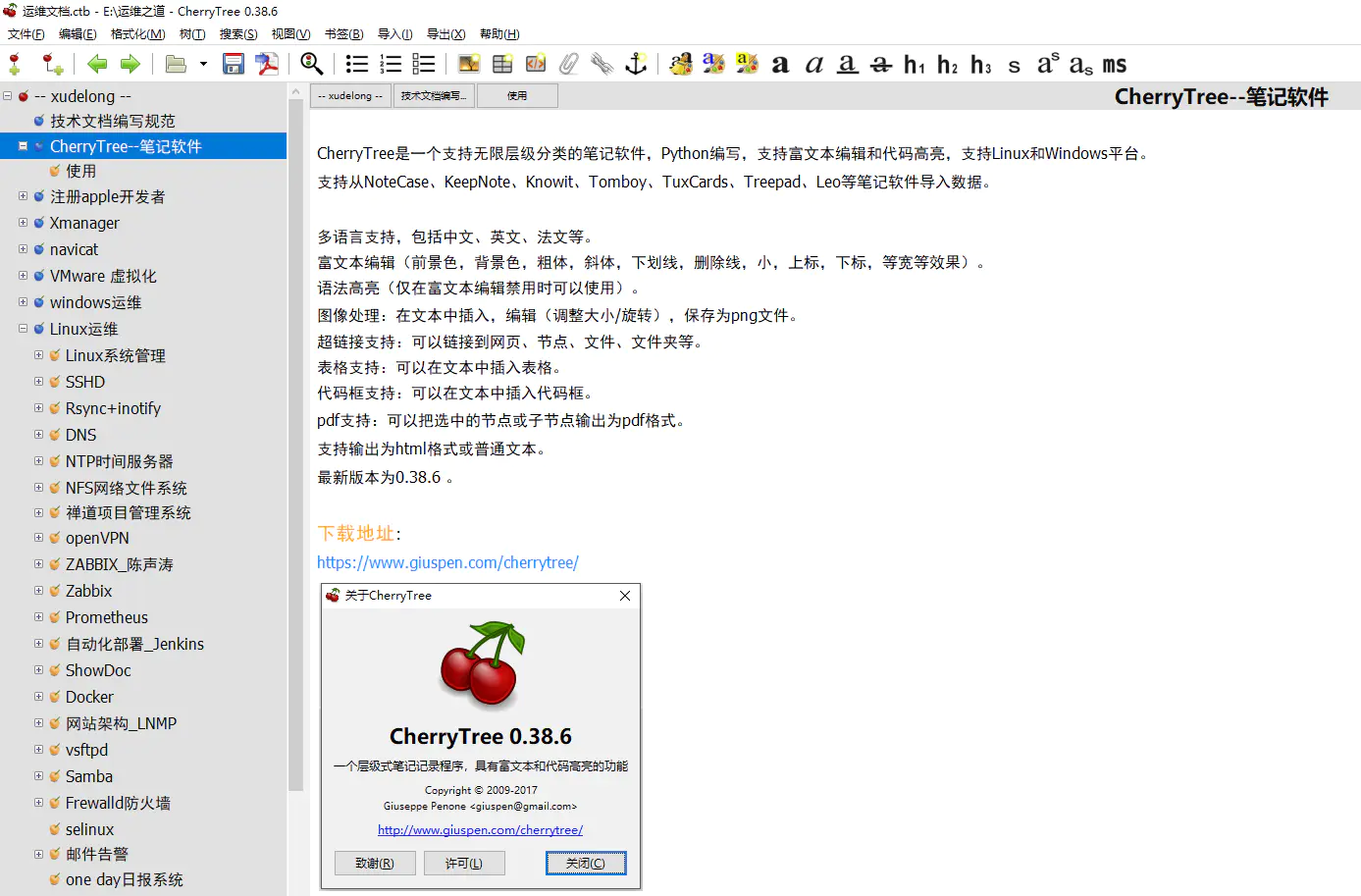
软件特点
多语言支持,包括中文、英文、法文等。
富文本编辑(这个算是缺点,技术笔记软件竟然不支持Markdown编辑)。
语法高亮(仅在富文本编辑禁用时可以使用)。
图像处理:在文本中插入,编辑(调整大小/旋转),保存为png文件。
超链接支持:可以链接到网页、节点、文件、文件夹等。
表格支持:可以在文本中插入表格。
代码框支持:可以在文本中插入代码框。
pdf支持:可以把选中的节点或子节点输出为pdf格式。
支持输出为html格式或普通文本。
CherryTree将所有笔记存储在一个.ctb结尾的文件中(也可分开存多个ctb文件),.ctb文件还可以设置访问密码
更新日志
v1.7.2.0
- fixed crash introduced with word count changes in v1.7.1
- moved tree explorer auxiliary icon (e.g. indicating read only) between node icon and node name
- fixed selecting a word via double click in a codebox or table cell not working
- improved search in node name and tags to support multiple words across both
- improved pasting rich text from mismatching theme (e.g. from dark theme source to locally configured light theme)
- fixed embedded files cannot be opened anymore with custom action on windows
- added support for pasting web content containing .webp images on windows
- fixed LatexBox containing non ASCII characters loses end bytes after saving in SQLite/reopening
- fixed crash selecting syntax highlighting language id ‘def’ not meant to be in the list
- fixed regression after indent/unindent multiple list items in a selection – if the selection included non list items, those were not indented
- when a numbered list is split by pressing enter twice at the end of an intermediate list item, the second part of the list now decrements as the temporary intermediate list item is removed
- increased margin at the bottom of the tree explorer to prevent the hovering horizontal scrollbar from hiding the last node
- when pasting rich text which results empty, automatically fallback to the plain text clipboard target
THE END















暂无评论内容