


AI智能摘要
此内容由AI根据文章内容自动生成
WSL发行版管理器是一款免费开源的图形界面工具,专为Windows Subsystem for Linux设计。它简化了WSL的日常操作,如安装、卸载、更新和备份等,同时支持一键启动和配置设置。最新版本v2.5.0提供了中文便携版,让中国用户能够更便捷地管理和使用WSL环境,无需复杂的命令行操作,极大提升了用户体验。
介绍
WSL 发行版管理器是一个免费和开源的应用程序,它提供了一个用户友好的图形界面来管理 Windows Subsystem for Linux(WSL)发行版。通过 WSL 发行版管理器,你可以轻松地安装、卸载、更新、备份和恢复 WSL 发行版,以及配置它们的设置,并通过一次点击启动它们。
WSL 发行版管理器还提供了一些额外的功能来增强你的 WSL 体验,例如在多台机器之间共享发行版,以及创建动作来快速完成重复性任务。无论你是 WSL 的初学者还是专家,WSL 发行版管理器都能帮助你获得最大的收益。
软件截图
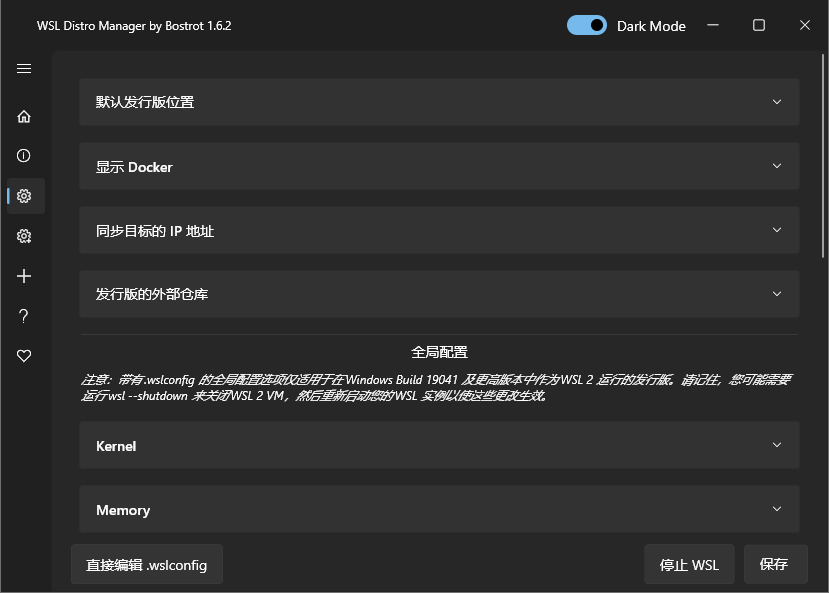
软件特点
- 列出 WSL
- 复制 WSL
- 删除 WSL
- 启动 WSL
- 重命名 WSL
- 创建 WSL
- 下载 WSL
- 从存储器中选择 rootfs
- 快速行动(直接在您的实例上执行预定义的脚本以进行快速配置)
- 下载并使用 Turnkey 或其他 LXC 容器(试验性的,用 Turnkey WordPress 等测试)。
- 使用您自己的 rootfs 或 LXC 容器的存储库
- 以及更多…
更新日志
v2.5.0
Your instances
- System resources (new): see what an instance is using right now — processor time, memory and swap — with a live graph that keeps updating while you watch.
AI assistant
- The assistant, and any MCP client, can now restart a virtual machine that has stopped responding: it asks the guest to shut down, powers it off if it does not answer, and brings it back up.
- Two conversations saved in the same instant no longer end up filed as one.
macOS
- The Homebrew cask now ships with Homebrew itself, so installing needs no tap:
brew install --cask wsl-manager.
And
- Smaller fixes and maintenance.
THE END


















暂无评论内容