


AI智能摘要
此内容由AI根据文章内容自动生成
Master PDF Editor v5.9.99是一款功能强大的便携式PDF编辑器,支持查看、创建、修改、批注、签名、扫描、OCR识别及打印PDF文档。其高级注释工具允许用户轻松添加便笺、高亮、下划线或删除线,且不会改变原始文件内容。最新版本在2025年6月3日发布,带来了更多实用更新与改进,使得处理PDF文档变得更加便捷高效。
介绍
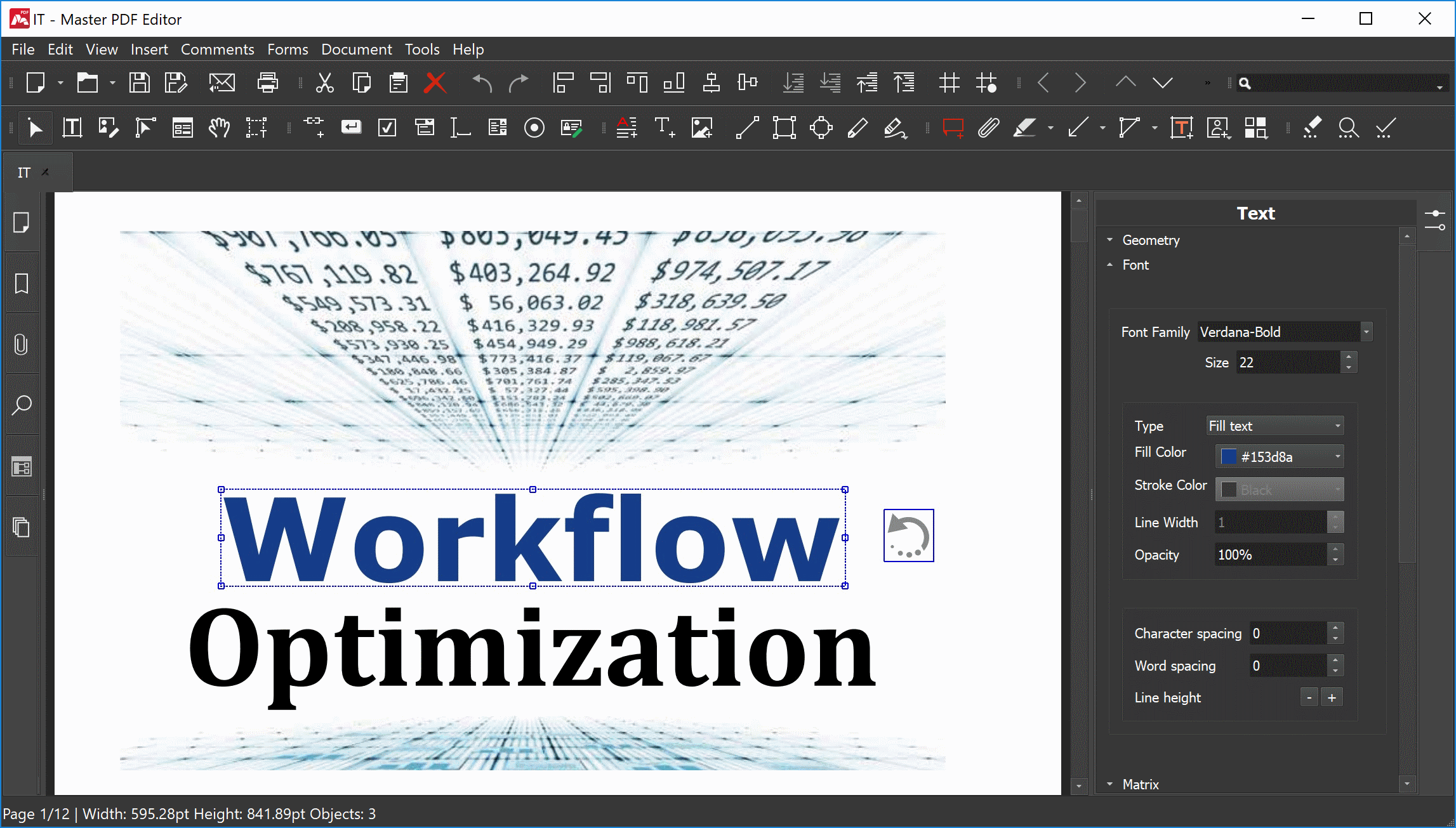
Master PDF Editor,强大的多功能PDF编辑器,轻松查看,创建,修改,批注,签名,扫描,OCR和打印PDF文档。高级注释工具,可以添加任意便笺指示对象突出显示,加下划线和删除,而无需更改源PDF文件。
软件截图
更新日志
Version 5.9.90
June 3, 2025
- Added support for page alignment options.
- Added the function to save search history.
- Added support for Z-reordering multiple objects simultaneously.
- Fractional scale values are supported during printing.
- General improvements and fixes for file saving.
- Fixed issues related to PDF page display.
- Fixed problems related to navigation between pages.
- Improved compatibility with XFA-based PDF documents.
- Bug fix for text object editing.
- Fixed bugs related to page cropping.
- Enhanced detection of conflicting keyboard shortcuts.
- Resolved printing issues.
- Fixed a bug related to increase in the file size when scanning.
- Fixed PDF preview rendering in Microsoft Outlook.
- Resolved an issue with opening Certificate Manager on macOS.
此版特点
* 去输出文件水印,第三方便携化,无需安装
* 原版除输出文件上添加水印外,无任何限制。
THE END
















暂无评论内容